
Picture Bingo Template, 50 Cards, 54 Calls, Add Images and Text, Cards Auto-Fill, 4 x 4 Mexican Style Lottery Game Mexican Bingo Cards
$18.00
You’re now subscribed to price tracking for this product. We’ll notify you if the price drops.
Fast Delivery
Quick, reliable shipping to any location.
Free & easy returns
Return this item by mail or in store within 90 days for a full refund.
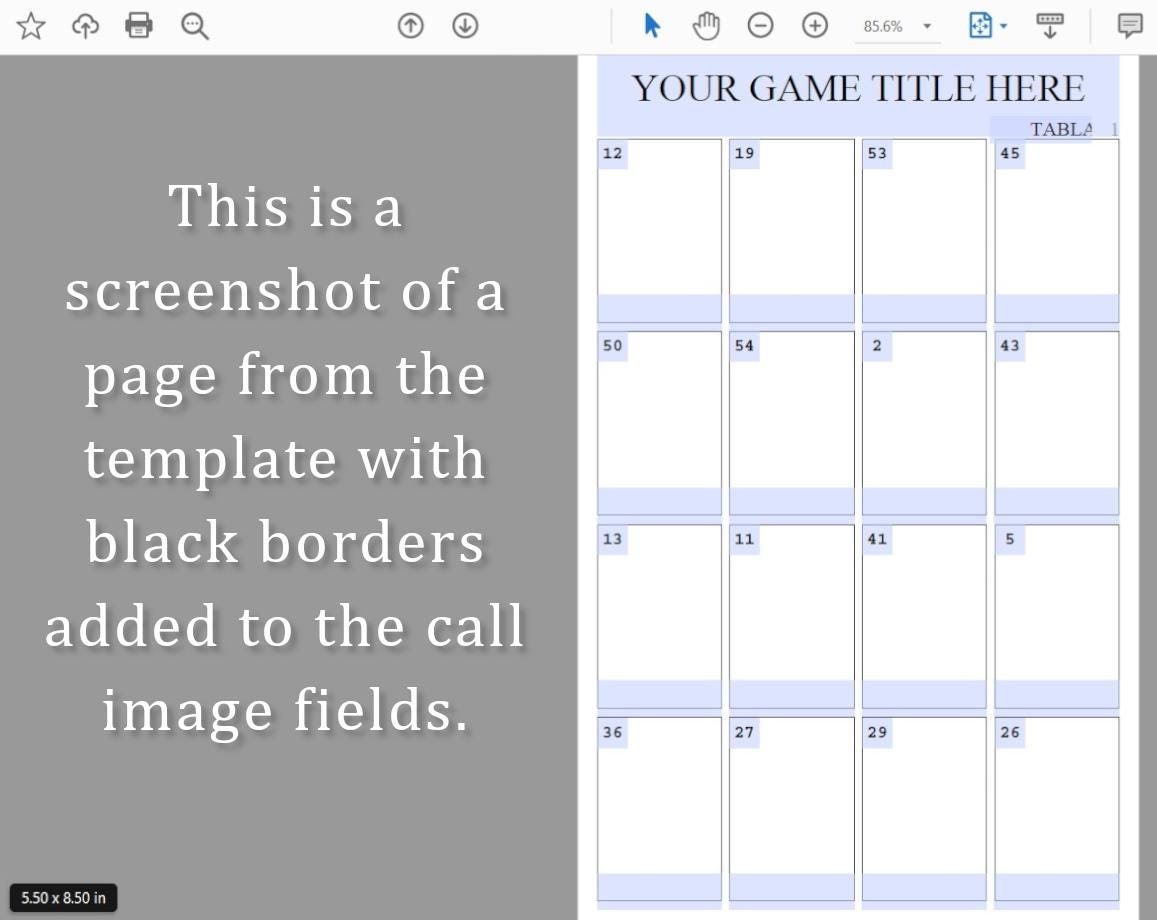
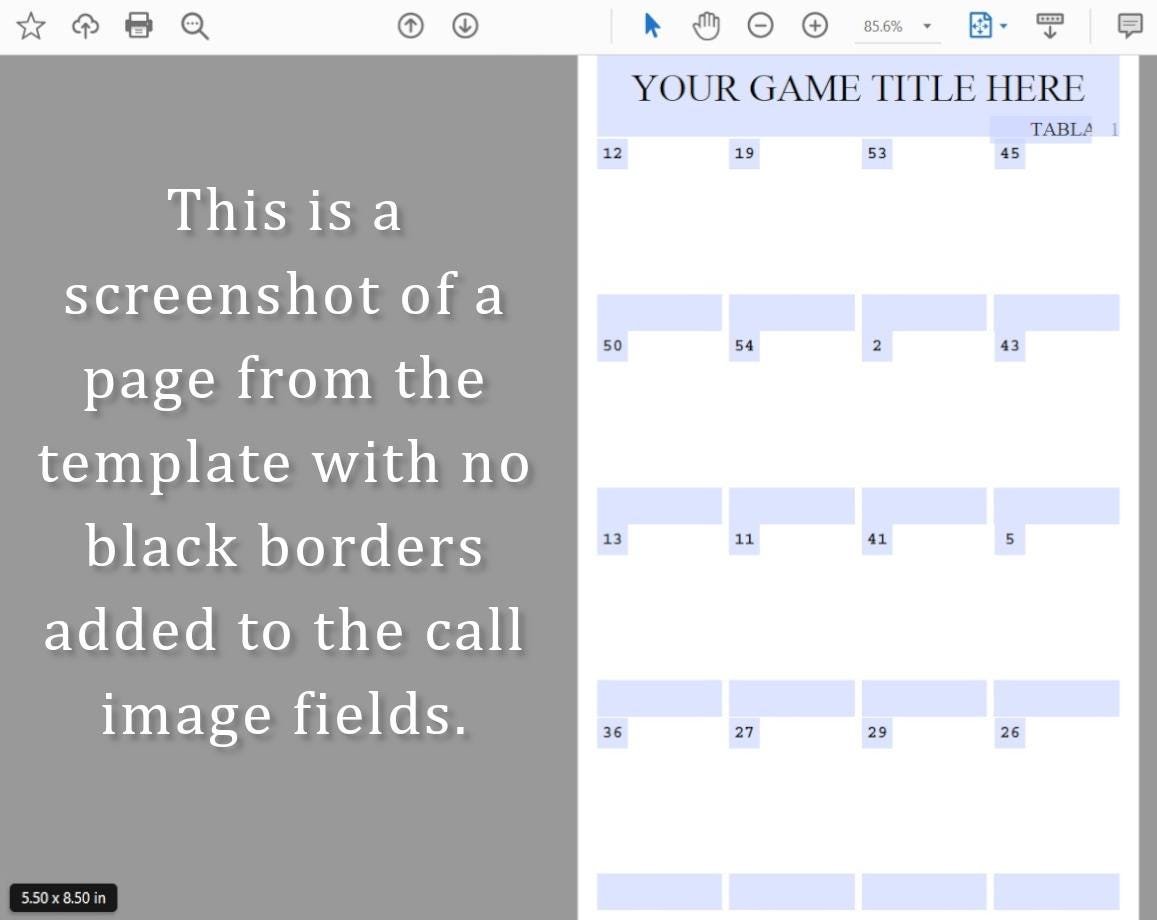
Use my pdf template to create your own custom Mexican style lottery game cards! Buy it once and use it over and over again! PC required. Purchase includes 2 copies of the template; with a black border on the call image fields, and without the borders on the call image fields.
This pdf form template creates 50 cards using 54 call images must use 54. When you add or change an image it will change that image on all the cards automatically. The template cards are sized to print actual size at 2 per page, but you can choose how you want to print from your print dialog. Choose to print one large card on any size paper by selecting the page handling option “fit” to page in your print dialog, or select “multiple” per page to print your cards 2, 4, or even more per page!
I made 100 card pages total, I sell it as a 25, 50, 75, and 100 card template. Here’s the links to all card amounts:
25 card template: https://www.etsy.com/listing/1660157727
50 card template this template: https://www.etsy.com/listing/1705691039
75 card template: https://www.etsy.com/listing/4372659855
100 card template: https://www.etsy.com/listing/4379997078
Purchase includes 3 PDF files:
1- Instructions
2- Editable Adobe form field PDF template
3- Editable Adobe form field PDF template with no borders on the call image fields
Backgrounds to create classic looking card images shown in main listing image can be found in my shop here:
https://www.etsy.com/listing/1498943698
*PLEASE NOTE*
My template no longer comes with the Mexican lottery game images uploaded to it. My listings were removed for IP violation. I was told these images are trademarked, not public domain, even the word L*teria is trademarked.
Here’s a link to a video I made. If you are unfamiliar with editing Adobe fillable forms watching will be helpful. It shows how to download, open with Adobe, and edit an Adobe fillable form template:
https://youtu.be/eTYI5b9CEAY
Instructions:
To edit the cards you need to have or install an Adobe pdf reader, free at https://get.adobe.com/reader/
You must edit on a computer running Windows or macOS, Adobe apps do not have the ability to edit form fields.
If you have an expired paid version of an Adobe product you must uninstall it first. If you don’t Adobe will ask you to upgrade to the paid version of Adobe reader instead of letting you use the free reader.
Mac users:
Do not open the downloaded file from preview. This is known to corrupt Adobe form fields. Download the file, go to the location on your pc you saved it to, most likely your downloads folder, and open it from there. If you did open the file from preview, and the form fields aren’t working, download a fresh copy and open from the file location.
Do not click “edit” in Adobe.
Click on the blue form field boxes to add text.
When clicking on a field box positioned behind another it brings the selected layer to the top. To reset the layer order, click somewhere on the page where there is no field box, or page up or down, then return and the layer order will have reset.
Press the CNTRL and E keys at the same time to access the pop-up text edit menu CMD and E for Mac users.
Click on an image field to add or change an image. Image fields are set to fit without stretching. To fill the entire space crop your image with a 2:3 ratio.
Add your 54 call images on the first 7 pages. The cards on pages 8-107 will automatically fill in.
That’s it, time to print your cards!
*If you are not printing directly from the template, print your cards to PDF first, this will flatten the file making it a standard PDF accepted at print shops.
Want to resize your images but don’t know how to crop, or size images to a 2:3 ratio? Here’s a handy website to set image size and crop all your images at once:
https://tinyurl.com/3m7483nx
Visit my shop for different styles and quantities of pre-made ready to print bingo cards and DIY bingo templates!
https://jovincreations.etsy.com
This is a digital download, nothing will be shipped. Here is Etsy’s help link that explains how purchasing an immediate digital download on Etsy works:
https://help.etsy.com/hc/en-us/articles/115013328108?segment=shopping
LEGAL TERMS OF PURCHASE
—————————————
All files you purchase in my shop have been created by me and I own the copyright.
All files are for PERSONAL NON-COMMERCIAL USE ONLY. Reselling and posting online as a freebie are not allowed. Custom bingo cards made for you may be used for commercial use depending on the end product, discuss this with me if you are looking to use a bingo game file commercially.
GRAPHICS COPYRIGHTS
—————————————
Graphics used in my game files are created by me, purchased or obtained by me for commercial use, public domain, or a combination of. All copyrights and trademarks of images used are retained by their respective owners.
❤ Thank you for supporting my small business ❤
⭐⭐⭐⭐⭐
Everything in my shop is created and listed on Etsy by me. I do not list any file I wouldn’t rate 5 stars!
Please contact me through Etsy if you feel your purchase isn’t 5 star worthy.
⭐⭐⭐⭐⭐
⭐ ✖ ✖ ✖ ✖
Please do not leave a low review for the reason of having trouble finding, or downloading your purchase.
Reviews are meant to rate my product and customer service, not Etsy.
Sellers have no control over Etsy’s automated delivery system, we upload the files to the listing, and Etsy emails a download link at payment processed.
Message me through Etsy if you are having trouble and I will gladly help.
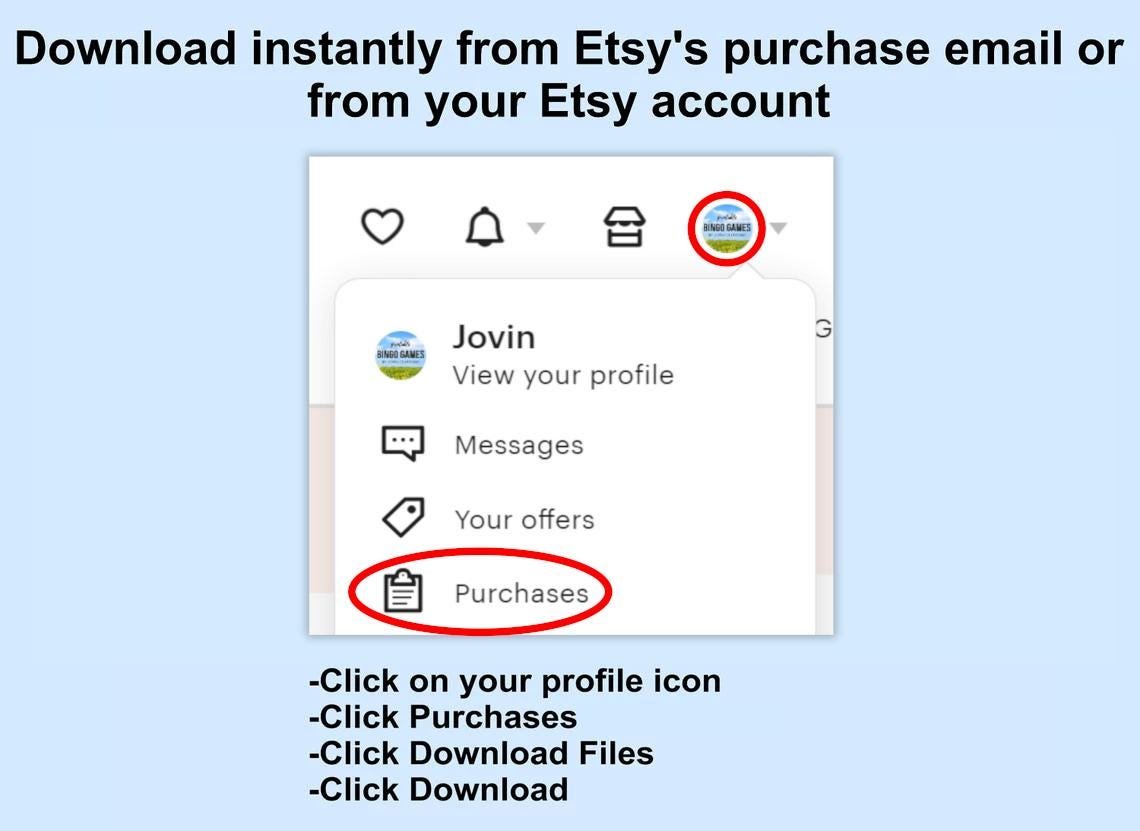
If you purchased logged in to an Etsy account your purchased files can be downloaded any time from your account profile section “purchases”.
⭐ ✖ ✖ ✖ ✖
THIS IS A DIGITAL DOWNLOAD
—————————————
You can ensure your email program won’t send Etsy’s email to junk or get spammed out by adding transaction [!at] etsy.com to your email contacts or safe sender list.
Nothing will be shipped. Here is Etsy’s help link that explains how purchasing an immediate digital download on Etsy works:
https://help.etsy.com/hc/en-us/articles/115013328108?segment=shopping
How to Download a Digital Item
Quick answer:
Digital items you’ve purchased can be viewed and downloaded from the Purchases and reviews section of your Etsy account.
Digital items are available in two categories:
Instant downloads: Ready-made files that are available once your payment is confirmed. If you paid with PayPal or a credit card on Etsy, it may take a few minutes for your download link to be sent to you.
Made-to-order downloads: Digital items that the seller will make to your specifications after you purchase them. The seller will send your files to you once they have completed them.
You can’t download a digital purchase through the Etsy app at this time. To download a digital file, please sign in to Etsy on your mobile browser or computer.
I can’t find my download notification email:
First, check your spam or junk inbox. If you use Gmail, also check your Social and Promotions tabs. If it’s not there, adding transaction [!at] etsy.com to your address book or safe list can help you locate these emails in the future.
Where can I find my digital purchases in my account?
To access your digital files from your account:
Sign in to Etsy.com and go to Your account.
Go to Purchases and reviews.
Next to the order, select Download Files. This goes to the Downloads page for all the files attached to your order.
You can also go back to the item’s listing page, where you should see an “Instant Download” message on the images for the item.
There are generally no limits for when or how many times you can download a file. In most cases, you can access a file any time on your Purchases page, provided the transaction hasn’t been canceled or removed.
If your payment is still processing, the Download Files button will be gray.
When will I receive my made-to-order digital item?
Once the seller finishes your order, you will receive an email.
I purchased a digital item, but I don’t have an Etsy account.
If you purchased an instant digital download as a guest, you’ll find a link to download your files in the receipt email that was sent to you after purchase.
Made-to-order digital items will be sent once the seller has finished them. If you no longer have access to the email account you used to make the original purchase, please contact the seller directly to discuss how they can send you your files.
I’m having trouble downloading my files.
If nothing happens when you click the download links, it’s possible that there’s an issue with your web browser. Please disable any non-standard add-ons like ad blockers or toolbars that you’ve installed and try again.
If your computer states that the file has been corrupted, delete the file and try downloading it again. If you still can’t open the file, please contact the seller through Etsy Messages for further assistance.
The type of file you’ll be downloading is shown under the Highlights section of a digital listing. If your computer is unable to open the file, it’s possible that you’re missing the program required to open the file type.
Reviews
Related products

Reviews
There are no reviews yet.